 Best Lovegobuy Spreadsheet
Lovegobuy Spreadsheet
LoveGoBuy Spreadsheet: from a find to your first parcel
Browse product categories, check the listing, and take its link to LoveGoBuy. This guide helps you choose the right options, review warehouse photos and plan the separate international shipping payment.
Search by item or style. Orders and payments take place on LoveGoBuy.
Browse
What is a LoveGoBuy Spreadsheet?
A product discovery site: browse photographs by category, open a find and check its original listing. This site points you to products; LoveGoBuy handles buying, warehouse services and shipping.
 Sneakers
 Outerwear
 Hoodies
 T-shirts
 Jeans
Jeans Sweatpants
 Womenswear
 Football shirts
 Bags
Bags Caps
Caps Belts
Belts Eyewear
 Perfume
 Jewellery
 Watches
 Electronics
How to use the LoveGoBuy Spreadsheet
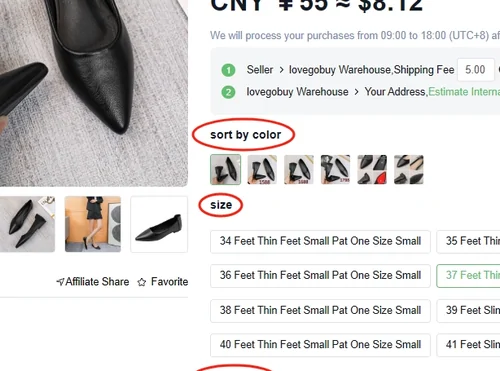
Start with a category or a plain search such as “black puffer jacket”. Open a candidate and check the seller, size chart, colour options and price before copying its product link. A photo of one variant does not select that variant for you.
Why use this Spreadsheet?
Categories shorten the search; the readiness checker helps you catch an unclear size, missing option or seller instruction before payment. Keep a shortlist and compare the original listings instead of treating a catalogue card as a stock guarantee.
What is the LoveGoBuy agent?
LoveGoBuy purchases from Chinese sellers on your behalf, receives goods at its warehouse and lets you review inspection photos before arranging international delivery. The marketplace seller supplies the item; the agent coordinates the purchase and parcel.

How to use LoveGoBuy
Import the product link, select options and pay for the item and domestic delivery. Review the warehouse photos and resolve any return or extra-photo request. Then choose items, packing and a shipping line, pay the international quote, and track the parcel.
Why choose LoveGoBuy?
It may suit buyers who want product import, warehouse photos and several purchases collected into a parcel. Before committing, check whether it accepts your item and offers a suitable route and payment method for your country. Compare another agent if those needs are not met.
Plan the next step
Your buying guide
Choose and pay
Check the seller, record the listing options, then budget for both payments and currency conversion in Costs.
Review before dispatch
Use the QC checklist to decide whether to keep, request a closer photo or ask about a return. Check warehouse deadlines before waiting for another item.
Pack, ship and receive
Compare accepted items, billed weight and cover in the shipping guide. Track through the agent and keep delivery evidence if anything is missing or damaged.
Help, FAQ and current updates
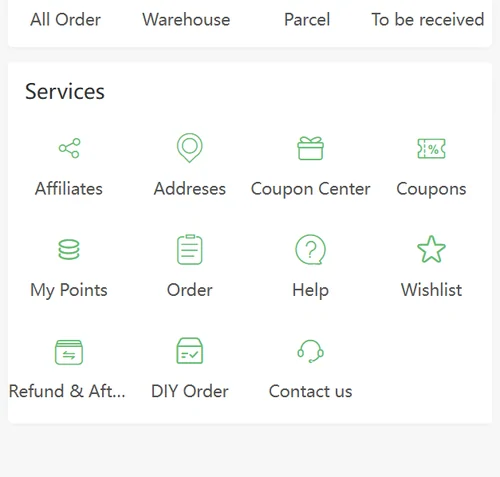
Use the glossary for QC and parcel terms, or common questions for the next action on an order. Account, refund and delivery problems belong with LoveGoBuy support.
Open the Help Centre · Dated announcements and community notes
Offers and route conditions change. The updates page separates dated observations from a current checkout quote.
Ready to take a find to LoveGoBuy?
Confirm the product options and total first. Customs declaration is a later parcel step, not a reason to delay choosing a product.