 Best Lovegobuy Spreadsheet
Lovegobuy Spreadsheet
The seven checkout stage names and the rule behind each
The operator names the steps twice, in two different places, with two different counts. Reading both tells you which stages are paperwork and which one changes what is in the parcel.
Keyword or category. Six fields decide whether what you find can be ordered.
Reference
The steps the operator names
This is the strip printed across the top of the Confirm Order screen. Treat it as a map of payment points, not as a journey: two of the seven are payments and only one is an inspection.
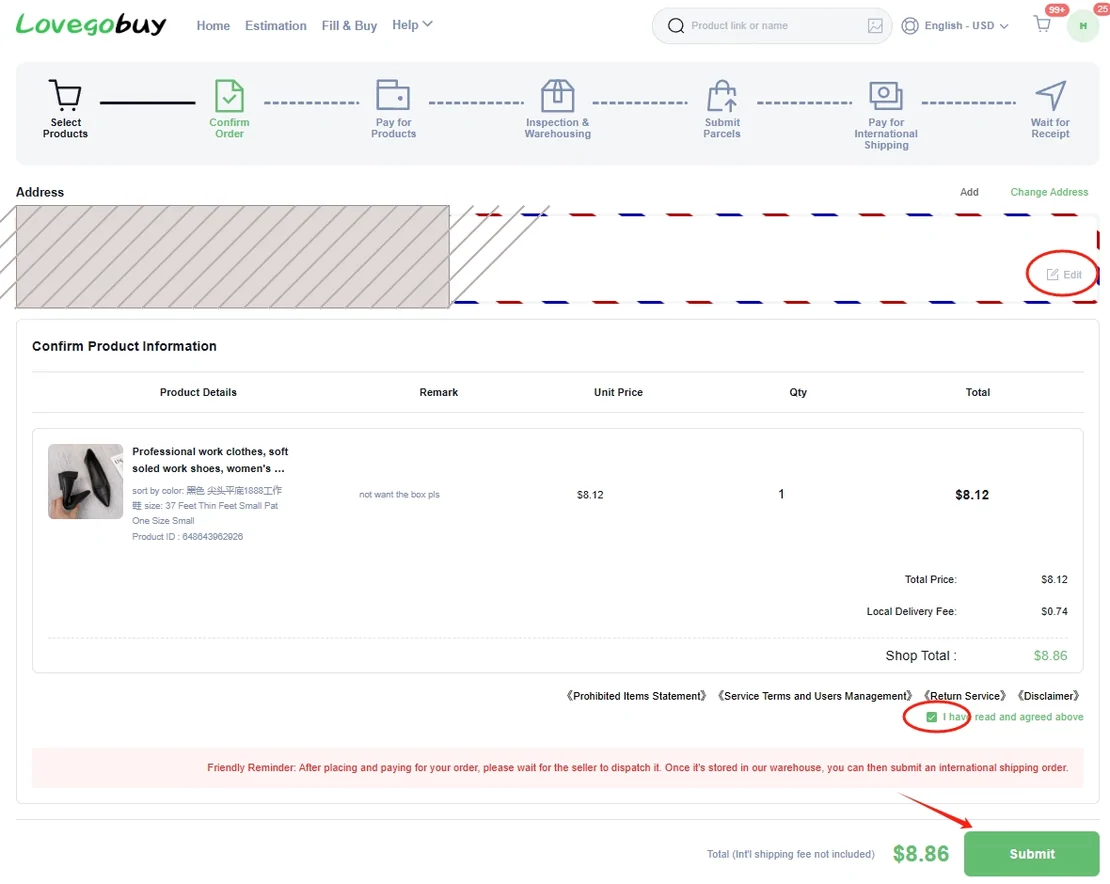
- 01Select ProductsNothing is reserved. The shop can change the price or the domestic delivery fee until you submit.
- 02Confirm OrderThe per-shop domestic shipping line and your variant choices are frozen into the order card.
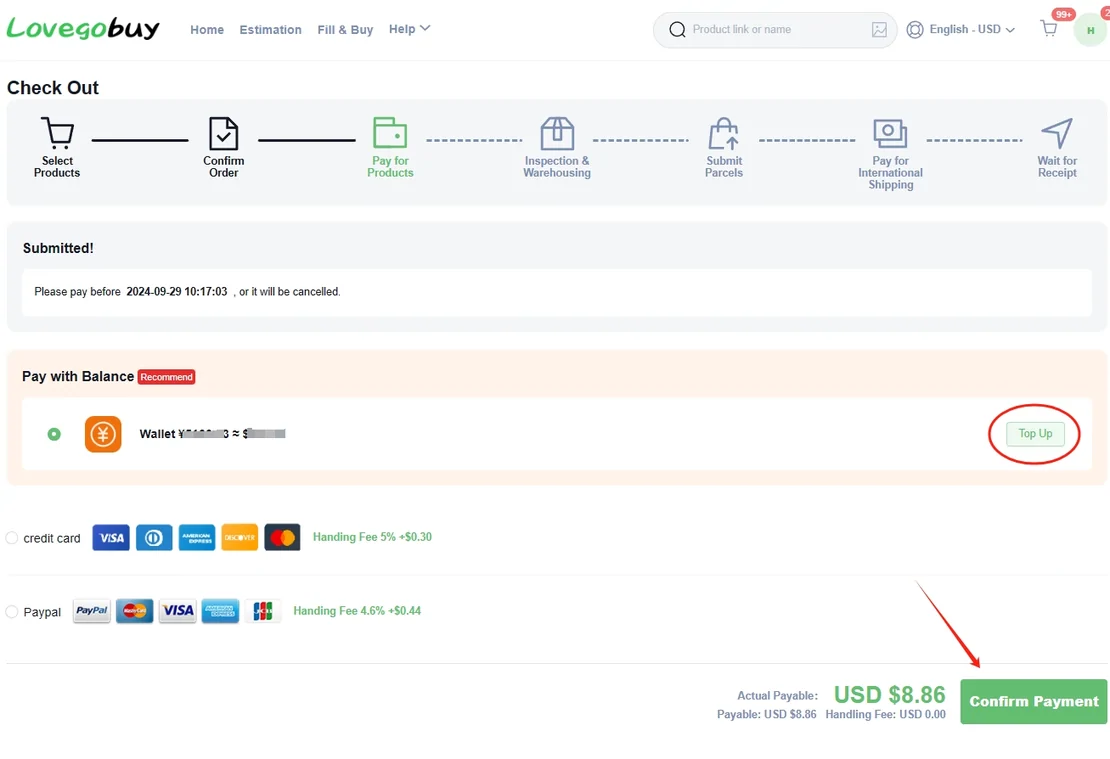
- 03Pay for ProductsPay before the deadline printed on the Check Out screen or the order is cancelled. Purchasing runs 09:00 to 18:00 UTC+8.
- 04Inspection & WarehousingBoth clocks start here. The cited free-storage window is 60 days and the return window runs 120 hours, per the operator's help centre read 2026-10-10.
- 05Submit ParcelsYou choose the declaration mode and the shipping line. Items with a side of 90 cm or more cannot be combined.
- 06Pay for International ShippingA second payment, separate from the item payment, quoted per line by the official estimator.
- 07Wait for ReceiptInsurance, where the line supports it, is what decides what a lost parcel is worth.
Timing
The purchasing window is a real constraint
The product page states that purchases are processed 09:00 to 18:00 UTC+8 after payment. The help centre adds the handling rule: orders submitted 08:00 to 18:00 Beijing time are handled within 6 hours; 18:00 to 08:00 before 2 PM the next day. Paying at 23:00 local time in Europe does not buy anything that night.
After purchase the shop's own clock starts: Taobao and 1688 sellers ship within 3 to 7 days, then 1 to 2 working days from the Pearl River Delta, 3 to 5 from the Yangtze River Delta, about 7 from remote provinces. Inspection takes about 1 working day. All three come from help article 10034, read 2026-10-10.

Discrepancy
Two progress strips, two different counts
The order list shows four steps: Place Orders, Quality Inspection in Warehouse, Submit Parcels, Sign Delivery. The warehouse page shows five: Select Products, Submit Parcels, Pay for International Shipping, Wait for Receipt, Delivered. The Confirm Order screen shows seven.
None of them is wrong. They are three views of the same path drawn for three different screens, and the only way to know where an order stands is to read the status word on the order card rather than counting dots on a strip.


Payments
Two payments, not one
Pay for Products settles the goods and the shop's domestic delivery. Pay for International Shipping is a separate transaction, quoted after the goods are weighed and measured in the warehouse. A budget that counts only the first is short by the larger of the two on most small parcels.
Balance top-up has its own limits: minimum 10 RMB, maximum 4999 RMB. Card and wallet surcharges are listed on the costs page.
Taking a ready find to the agent
When all six fields are set, the next screen is the operator's. Registration asks for an email address, a username and a password.
Facts on this page last read 2026-10-11. Links to the agent carry a referral parameter; see how this site is paid.