 Best Lovegobuy Spreadsheet
Lovegobuy Spreadsheet
The quality check, its scope and its photos
Inspection is free, fast and narrower than most buyers assume. The operator publishes both halves of the scope, and the second half is the one worth reading twice.
Keyword or category. Six fields decide whether what you find can be ordered.
Scope
What the quality check covers
After stock-in the operator inspects for appearance, colour, large-area damage, stains, size, model and version number. Apparel is checked against the remark you left or the label size you selected, which is why the size field on the order matters more than the size in the photograph.
Inspection takes about 1 working day and is part of the free service, not a paid add-on.

Limits
What the quality check does not cover
Explicitly outside scope: colour difference, actual-size error and usage effect. Electronics are checked for appearance only, with no power-on test.
So a screen shade that differs from the listing photograph, a garment that measures 2 cm off, or a device that does not switch on are all outside what the free inspection is promising. Knowing that before the parcel ships is the difference between a request that succeeds and one that does not.
Photos
How many photos arrive as standard
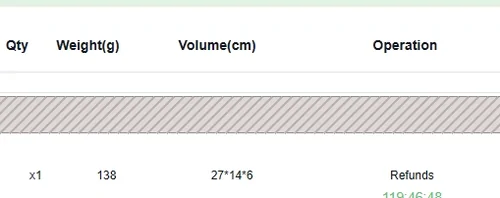
The help article describes usually 3 photos: front, back and side or logo. The archived warehouse line above carries six. Both are true on their own day, which is the point: count what you received rather than quoting a number you read somewhere.
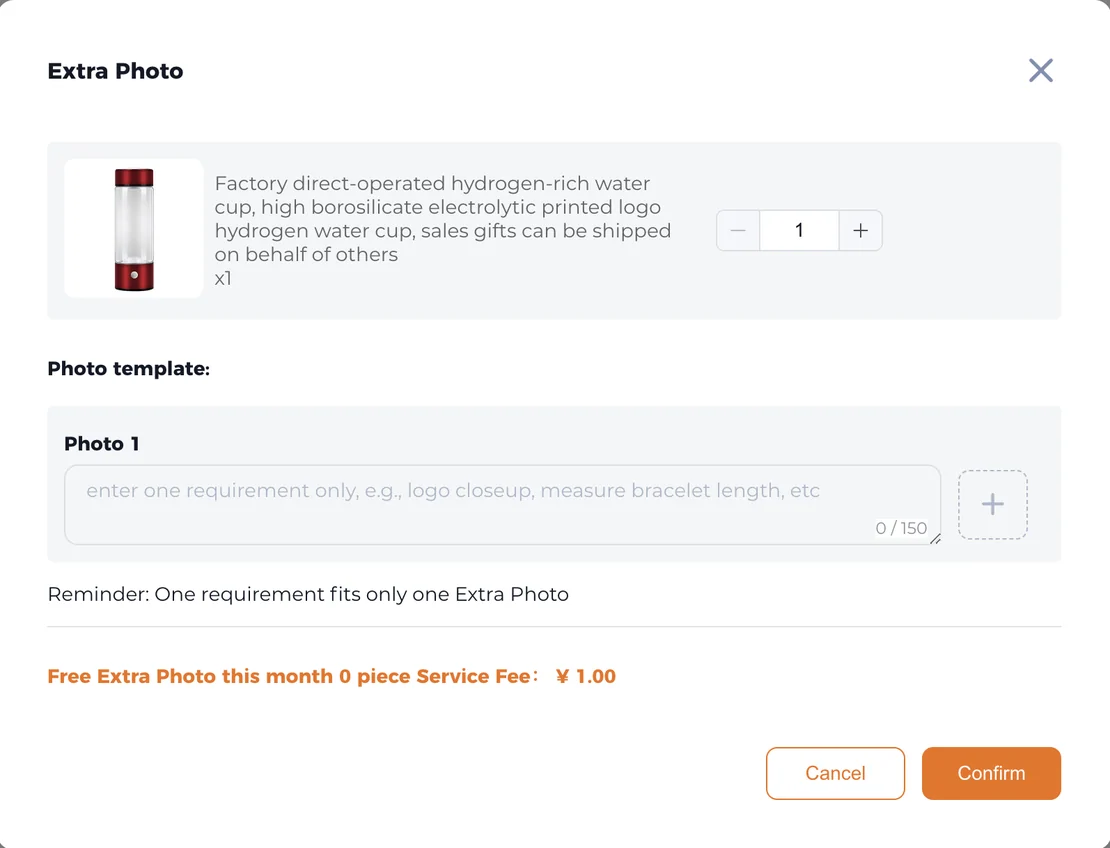
Extra photos are a paid request: 1 CNY per extra photo, maximum 20, with a re-take if the requirement was not met. The dialog accepts one requirement at a time, and states so in its own reminder.
Reading
Reading the QC photos line by line
Work through the same six fields you used to order. Does the colour match the swatch you picked, not the photograph you liked. Is the size label in the frame, and does it read what you selected. Is the model or version number visible, since the operator lists it as something inspectors check.
If one of those is not visible, that is what an extra photo is for: a single requirement, phrased the way the dialog asks for it, such as logo closeup or measure the label. Asking for a general better picture gets a general picture.
After
The window inspection opens
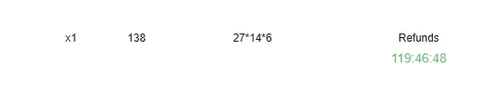
Stock-in is the moment both clocks start: 60 days free and 5 days, which the warehouse page counts down as 120 hours, from the moment the order status becomes Stocked in, both read 2026-10-10. Inspection photos usually land inside that window, which is the whole reason to look at them the day they appear.
The operator's own position on what happens after: with QC images already provided the seller may deny a late request; without QC images a full refund applies. Looking at the photos early is what keeps the option open.
Taking a ready find to the agent
When all six fields are set, the next screen is the operator's. Registration asks for an email address, a username and a password.
Facts on this page last read 2026-10-11. Links to the agent carry a referral parameter; see how this site is paid.